七転び八起き: Fall down seven times, stand up eight.
Why Japanese
I adore Japan: the crowds of Shinjuku, otaku chaos in Akihabara, indie bands and vintage cafés in Shimokitazawa, quiet Kamakura temples, Kyoto shrines, Hokkaido snow, Okinawa beaches. It is one of the few places where my interests somehow all point in the same direction.
I have also been into anime and manga since I was a kid. Thousands of hours of listening immersion made me decent at understanding spoken Japanese, although 敬語 and dialects still regularly humble me. As the Dunning-Kruger curve suggests, the more I thought I “knew” Japanese, the more obvious it became that I did not know nearly enough.
That eventually led me to Heisig’s Remembering the Kanji, then Anki, then WaniKani. WaniKani stuck. In 160+ days, I learned over 1,000 vocabulary words and kanji, and I can usually recognize them when they ambush me in text.
Why I Built This
WaniKani is great. Its mobile web experience is… technically usable, in the same way a pair of gas station earbuds are technically usable.
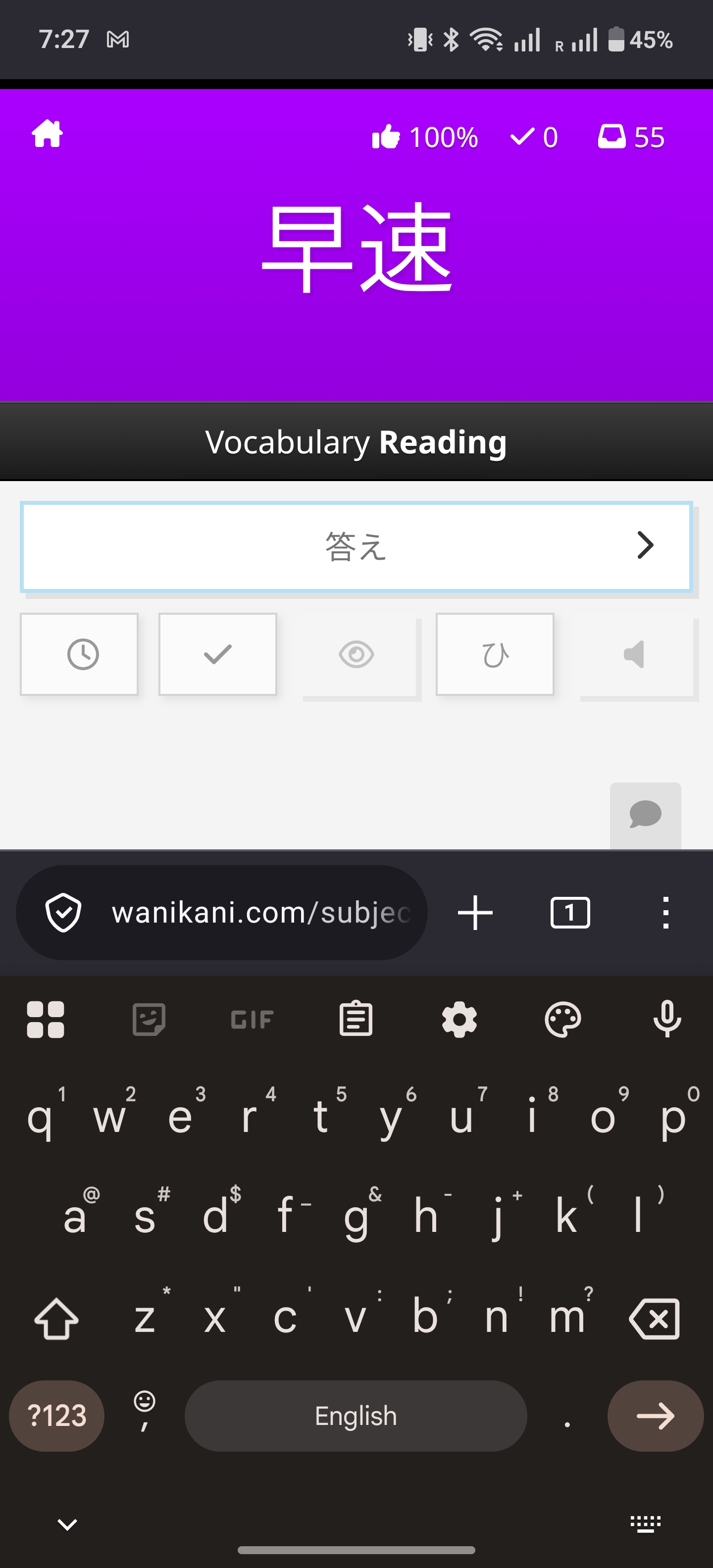
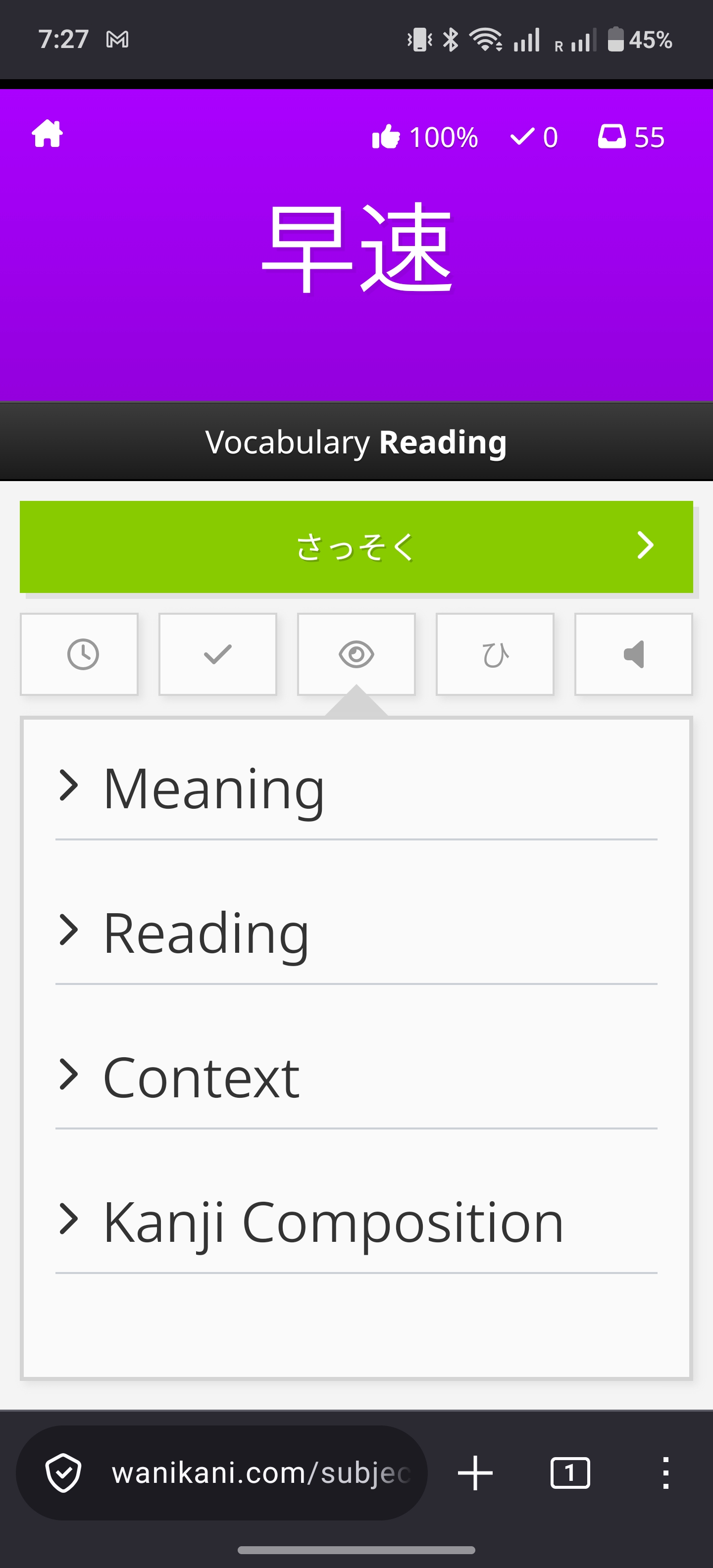
The WaniKani web app works on mobile, but it was not the review flow I wanted to live in.
On iOS, people have Tsurukame, a very solid unofficial WaniKani app. I kept looking at it with the same energy self-hating Linux users reserve for Mac-only productivity apps: envy, resentment, and the dangerous belief that I could make my own life worse by porting the idea.
So I built Yomiji.
Yomiji, written as 読路, means something like “reading path”, but probably sounds like “road to the Underworld” to a native Japanese speaker. The onboarding also uses 読み道 as a visual motif. This is a lot of naming ceremony for an app I built because I wanted to do reviews on Android without fighting a web page, but we take our small aesthetics victories where we can.
The product requirement was embarrassingly specific: open phone, do reviews quickly, do not think about the network, the keyboard, or whether a web UI is about to demand precision finger surgery.
What It Is
Yomiji is a cross-platform WaniKani study app built with React Native, Expo, TypeScript, NativeWind, Zustand, and SQLite. It probably works on iOS too. It is heavily inspired by Tsurukame, but it is not trying to be an Android clone. I mostly wanted the parts that made studying painless: reviews that behave correctly, lessons that do not fight me, search that works locally, and settings for the weird little preferences WaniKani users collect over time.
The app is for me first, but anyone with a WaniKani API token can use it. The important bits are local SQLite caching, incremental sync, queued offline writes, lessons, reviews, practice modes, subject browsing, local search, romaji-to-kana input, streamed vocabulary audio, notifications, diagnostics, and system-following light/dark mode.
The README is almost comically long now, which is usually the first sign that a “weekend project” has escaped containment.
The Shape of the App
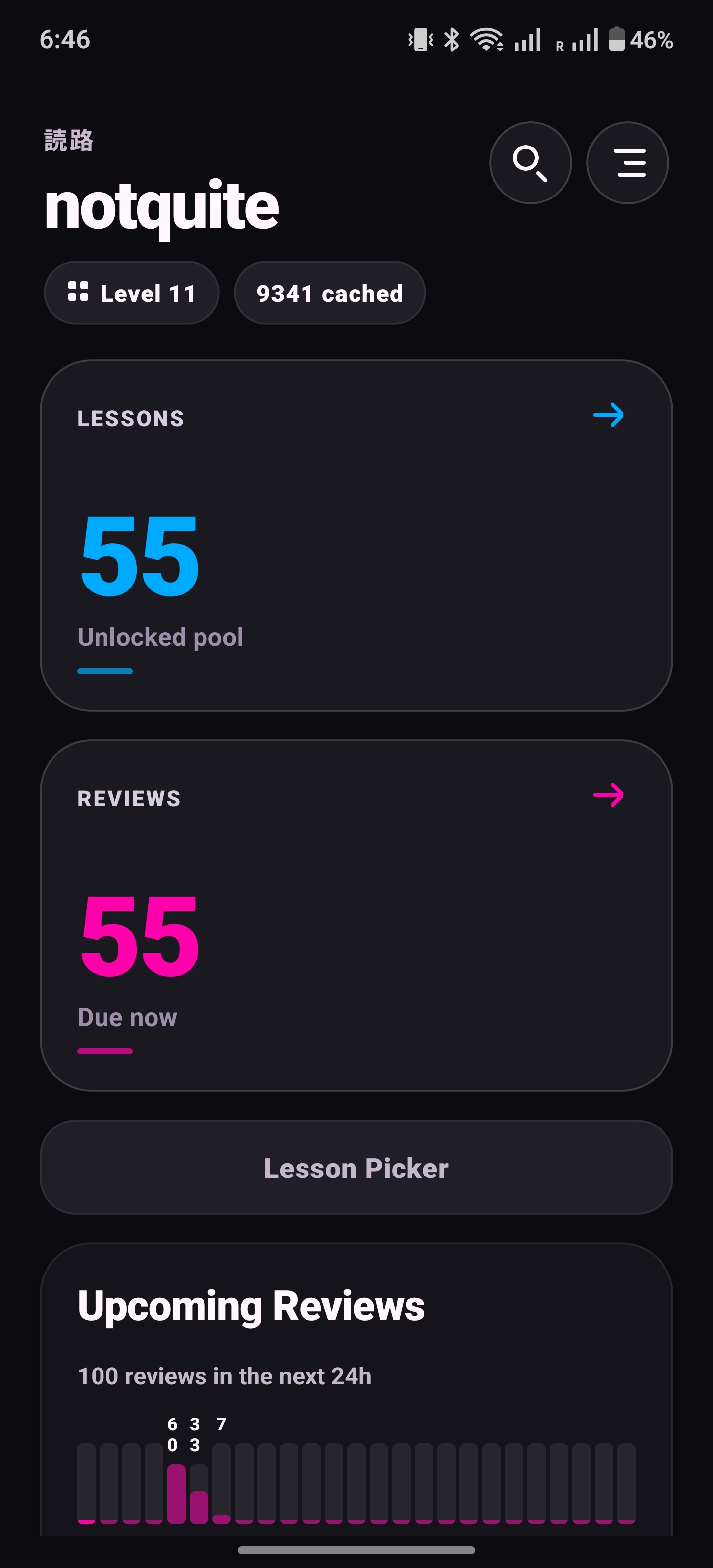
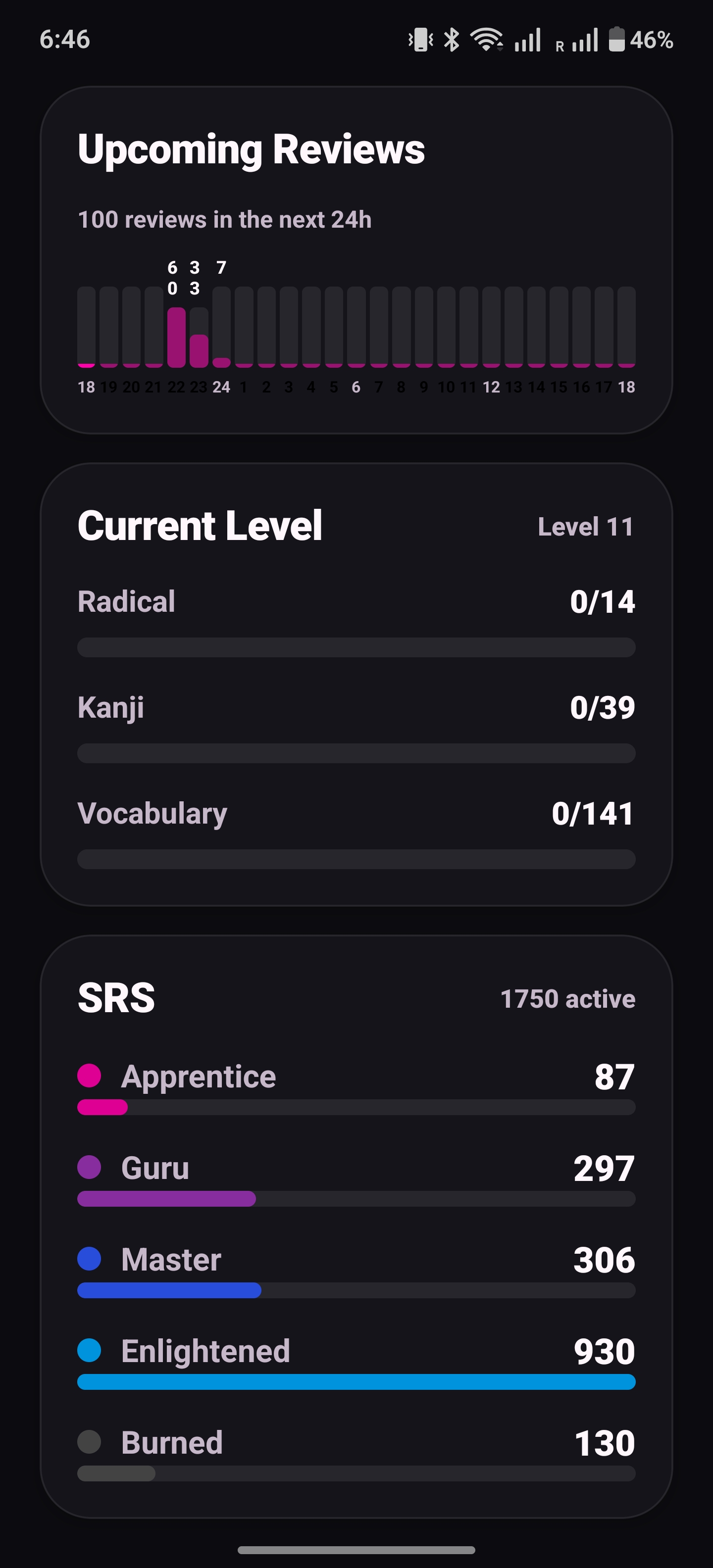
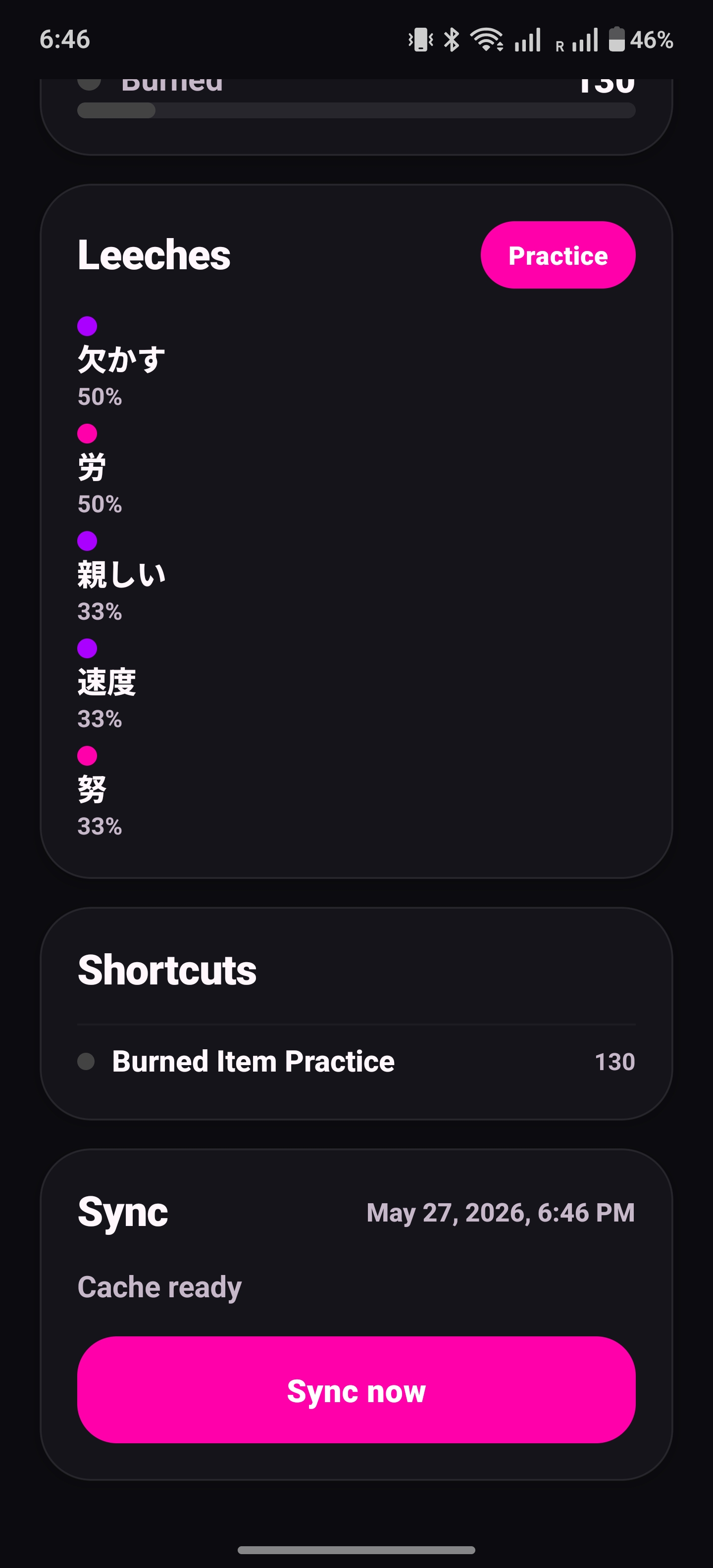
The dashboard keeps the main loop obvious: lessons, reviews, progress, and the stuff I keep getting wrong.
Under the UI, Yomiji is split roughly like this:
WaniKani API client
sync service
SQLite repositories
Zustand stores for app settings and sync status
domain logic for reviews, lessons, answer checking, and settings
React Native screens
That separation is not novel, but it kept the project from becoming a cursed pile of useEffect calls with database side effects. Screens do not call the WaniKani API directly. Review sessions do not care whether a submission is sent immediately or queued for later. Search, subject details, dashboard counts, lessons, and reviews all read from local repositories.
Zustand has a deliberately small job: app settings and sync UI state. SQLite owns WaniKani data. React state is allowed to be temporary. The database is what the app trusts.
React Native was a good fit, but it did not make the app magically simple. Expo handled a lot of native ceremony, but the app still had to care about secure token storage, AsyncStorage, SQLite behavior, app lifecycle events, notification permissions, badges, audio playback, Android signing, and dev-client builds. The happy path feels like frontend work. The real app is a checklist of platform quirks waiting to ruin your evening.
Offline-First Is a Trap
“Offline-first” sounds wholesome until you implement it. Then you realize you have volunteered to make sync bugs your problem.
The easy app fetches data, shows reviews, submits answers, and calls it a day. The app I wanted had to fetch the important WaniKani data, store it locally, let me study offline, queue writes first, flush them before remote refreshes, and handle rate limits, auth failures, hibernating accounts, flaky networks, and app lifecycle events without losing progress.
After login, SQLite is the source of truth. The sync path is basically:
WaniKani API -> sync service -> SQLite repositories -> screensThe schema stores full API payloads as JSON so the app does not throw away information, while also extracting columns needed for fast queries: subject type, level, SRS stage, availability time, review accuracy, update cursors, and so on. Subjects, assignments, study materials, review statistics, level progressions, voice actors, audio URLs, pending writes, sync cursors, and error logs all get their own tables. It is boring database work, which is usually the work that saves you later.
I also wrote a schema mapping document comparing Tsurukame’s iOS protobuf storage model with Yomiji’s JSON-in-SQLite approach. That was the point where I realized I was no longer “just making a small Android app.” I was doing archaeology with a React Native shovel.
Sync Is the Scary Part
The sync service refreshes the user profile, incrementally syncs large collections with updated_after cursors, and flushes pending local writes before fetching remote updates. Pending writes cover lesson starts, review submissions, and study-material edits for notes and synonyms.
This matters because local progress should not get overwritten by a remote fetch. If I complete reviews offline, the app should remember them. If WaniKani rejects a stale pending write with a 422, Yomiji discards it instead of retrying forever like a Roomba in a corner. Retryable failures stay queued with an attempt count and a sanitized error for diagnostics. Very fun things to think about when all you wanted was a kanji app.
Yomiji does stale foreground syncs, throttled background pending-write flushes, manual pull-to-refresh, and a diagnostics full refresh that preserves pending writes. There is also single-flight sync guarding so multiple sync jobs do not step on each other, because apparently even my own phone needs a bouncer.
The unhappy paths took the most thought. A 401 or 403 means the token can no longer be trusted. A 429 needs retry timing, not panic. A hibernating WaniKani account is not the same thing as a dead network. These errors imply different user actions, so they need different messages.
Notifications ended up local-first too: review-threshold alerts, optional daily reminders, badge counts, vacation-mode suppression, and tap-to-review navigation all come from the local database. None of that should require waking the network oni.
Review Semantics Are Weird
A naive flashcard app is easy. WaniKani review behavior is not.
Yomiji has a two-queue session model, delayed re-queues for wrong answers, separate meaning and reading tasks, practice mode that never submits SRS progress, and settings for ordering, batch size, grouping, Anki mode, exact match, minimized penalty, and cheats. This sounds like overkill until you remember that language learners are power users with better vocabularies and worse sleep schedules.
The answer checker handles normalization, synonyms, blacklisted meanings, fuzzy matching, readings typed into meaning prompts, other kanji readings, invalid character ranges, okurigana mismatches, and kana normalization. Reading input also converts romaji to kana in-app, because switching keyboards mid-review is absolutely stupid UX.
This was one of the most satisfying parts to port: no React components, no CSS battles, just domain logic and the creeping suspicion that Japanese learning software is secretly a compiler problem.
The UI
I wanted Yomiji to be calm and quick. The app has dashboard cards, progress charts, SRS distribution, recent mistakes, leeches, burned item practice, subject browsing, local search, and rich subject detail pages.
Most screens use NativeWind/Tailwind classes, with theme-driven inline styles where React Native makes that unavoidable: switch colors, chart props, shadows, subject-type colors, and input selection colors. The app follows the OS color scheme and feeds the same palette into React Navigation. There is not currently a manual light/dark/system picker, because I just couldn’t be bothered wrestling with my agent once I deemed the app useable.
There are small mobile niceties that matter after five minutes: vocabulary audio streams from cached WaniKani URLs, preferred voice actors rotate repeated plays, image-only radicals prefer usable PNG assets with SVG fallback, and review/lesson sessions use an inline leave-confirmation banner so Android predictive back does not look assembled during a minor earthquake.
The visual goal was not corporate learning app. I wanted calm, readable, and fast. WaniKani already has enough urgency built into the review count. The app does not need to scream at me too.
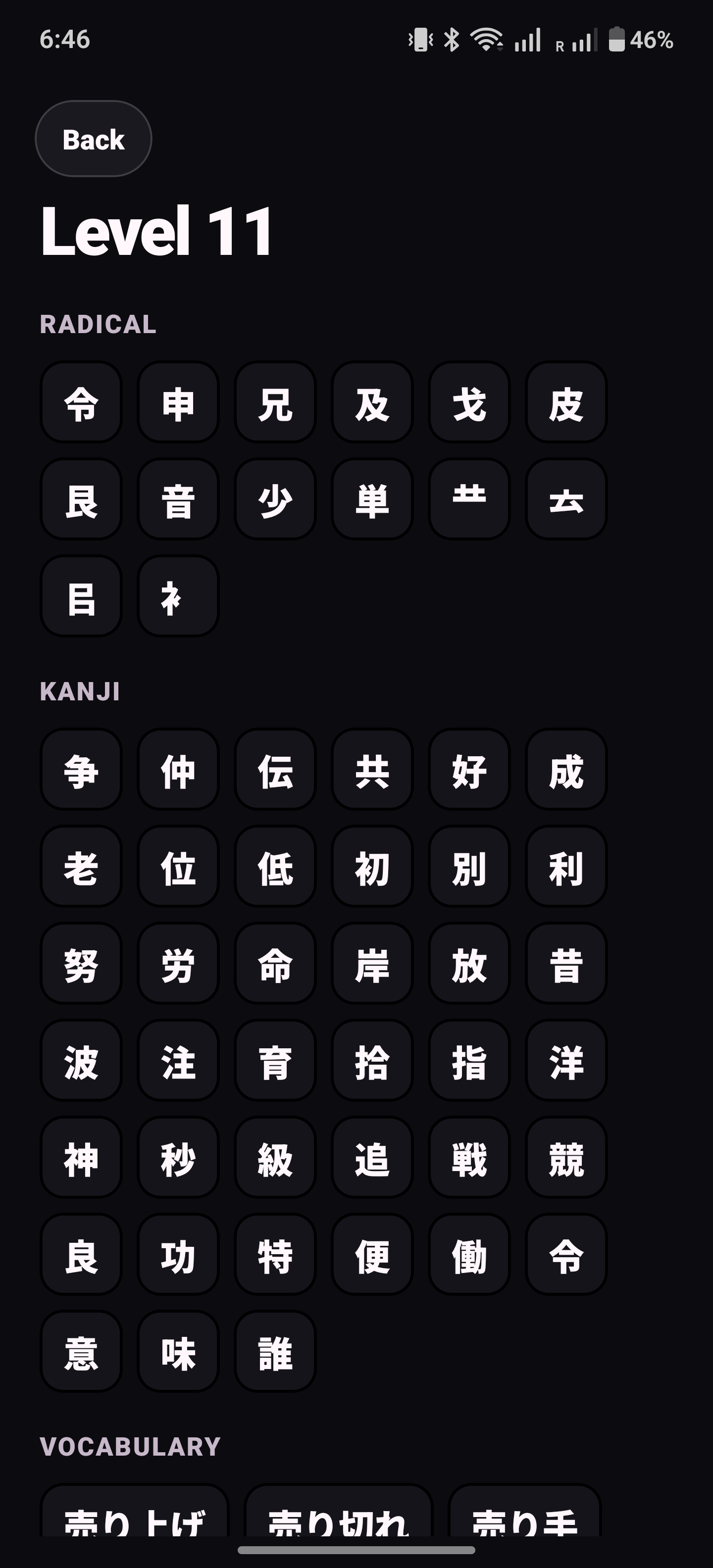
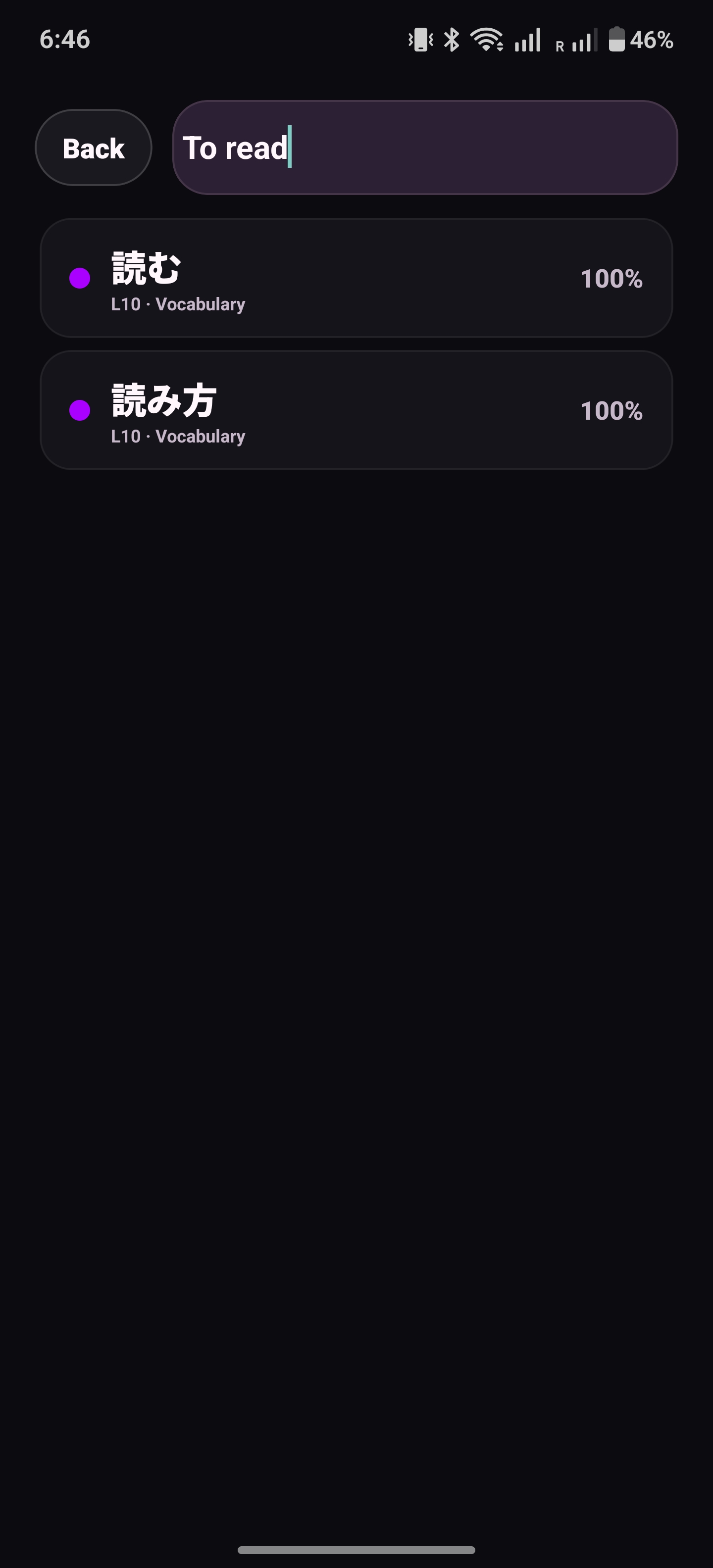
Browsing and search both run from the local cache, so looking up an item does not mean opening WaniKani.
Trust, Tests, Releases
Because Yomiji uses a WaniKani API token, I kept the trust model boring. There is no backend. The token lives in platform secure storage. Requests go directly from the device to WaniKani. Diagnostic logs are sanitized so Authorization headers and token-shaped values do not end up in exports. Fewer moving parts, fewer places for secrets to leak, fewer future me problems.
I wrote tests for the parts most likely to hurt users: answer checking, romaji-to-kana conversion, review sessions, queue queries, migrations, error sanitization, lesson filtering, search ranking, radical image parsing, notifications, pagination, incremental cursors, pending-write flushing, and full-refresh data integrity. If a review result disappears, the user does not care that the UI was pretty. Fair.
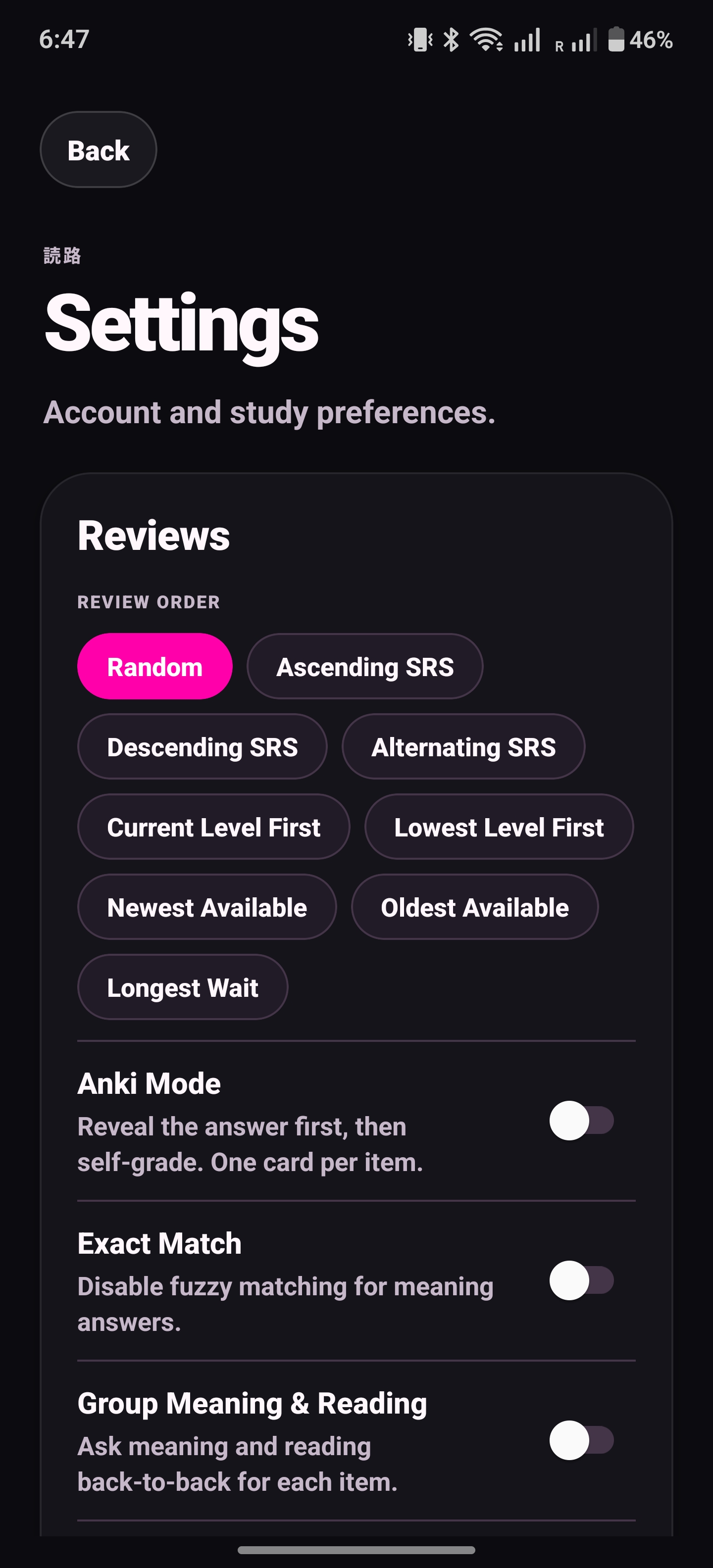
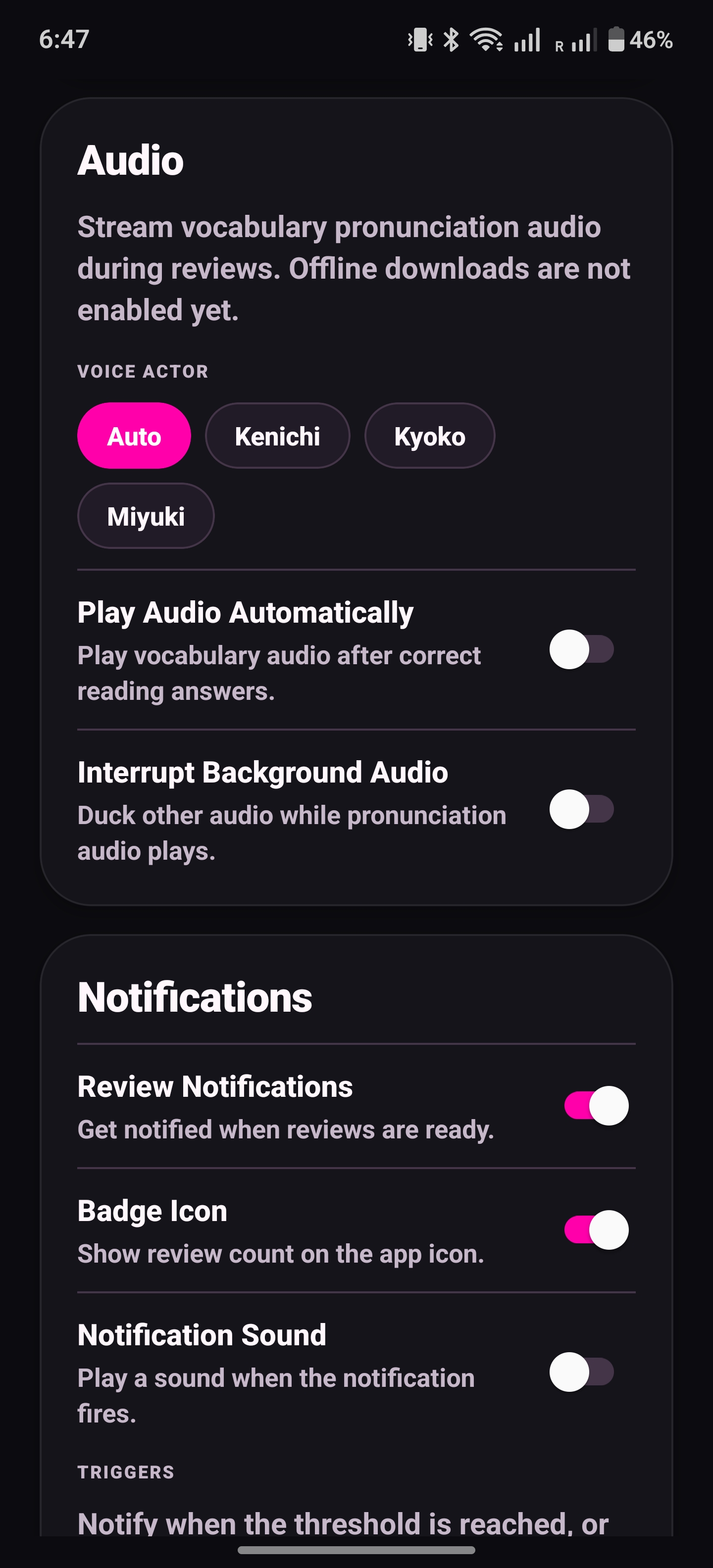
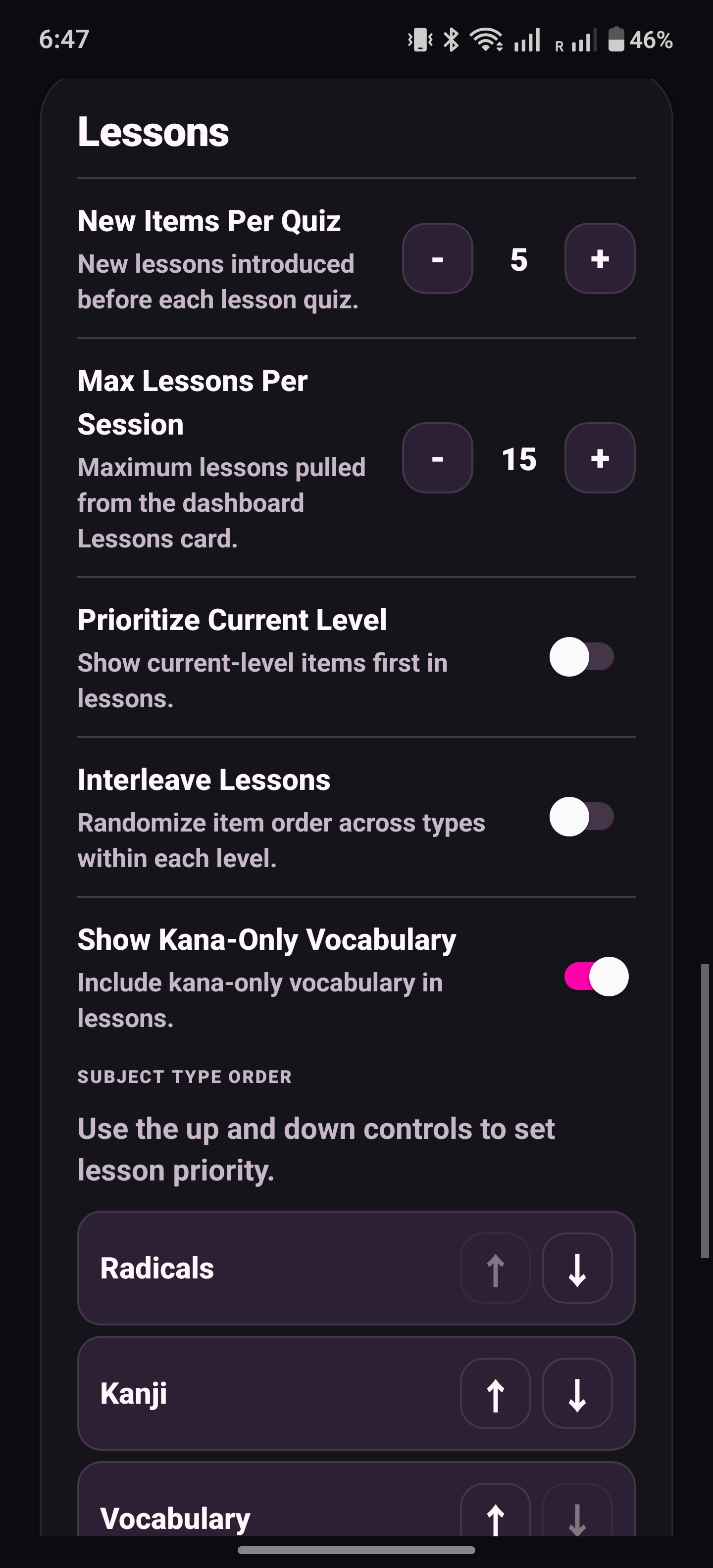
Settings exist because WaniKani users have opinions, and unfortunately some of those opinions are mine.
Shipping became its own feature. Yomiji has GitHub Actions for Android releases, typecheck and Jest before builds, EAS local production builds, APK signature verification, release artifacts, signing guards, version-bump tooling, and even a tiny Expo config plugin for Android predictive back support. Mobile releases are not hard in one dramatic way. They are annoyingly frustrating in twelve tiny, annoying ways that would make Sisyphus cry.
What I Did Not Build
I skipped a lot on purpose. I did not add a backend. I did not replace WaniKani’s SRS. I did not add AI explanations, social features, streak mechanics, or a second learning system beside WaniKani. I also deferred offline audio downloads, custom font controls, deep links, manual theme selection, and some WaniKani web parity around lesson pools.
The app already had enough complexity hiding in sync, answer checking, local persistence, notifications, and release builds. There is no need to turn a WaniKani client into a dopamine casino just because modern software keeps rewarding that.
Final Thoughts
Yomiji started as “I wish Tsurukame existed on Android” and then became much more annoying than that sentence suggests. The hard parts were not the screens. They were deciding when local state wins, when remote state wins, how to recover from failed writes, how much background work is polite, and how to make a review session feel deterministic when the network is absent.
The app worked for me before it was “done.” The first time I completed reviews offline, reopened the app later, watched the pending writes flush, and saw the dashboard counts settle correctly, I stopped treating it like a React Native experiment. I had accidentally built something I trusted with my study progress.
That was the moment I knew I would actually keep using it.
It is not trying to replace WaniKani, become a social learning platform, or cosplay as whatever dark pattern Duolingo is cooking this quarter. It is just a focused mobile client for catching up on reviews, browsing subjects, and studying without caring whether the internet is behaving.
For a weekend project, it got suspiciously serious and I’m 200 million GLM 5.1 tokens down. This keeps happening to me.
Cheers!